Why do we need services?
At the end of the previous post, I demonstrated we are able to access the nginx application by directly hitting the IP address of the pod. However, pod IP addresses in Kubernetes are ephemeral. If a pod is recreated, its IP address can change, so applications shouldn't communicate using hardcoded IPs. Services provide a stable endpoint that other applications can use instead.
ClusterIP
The most basic type of service we can provision is the ClusterIP type.
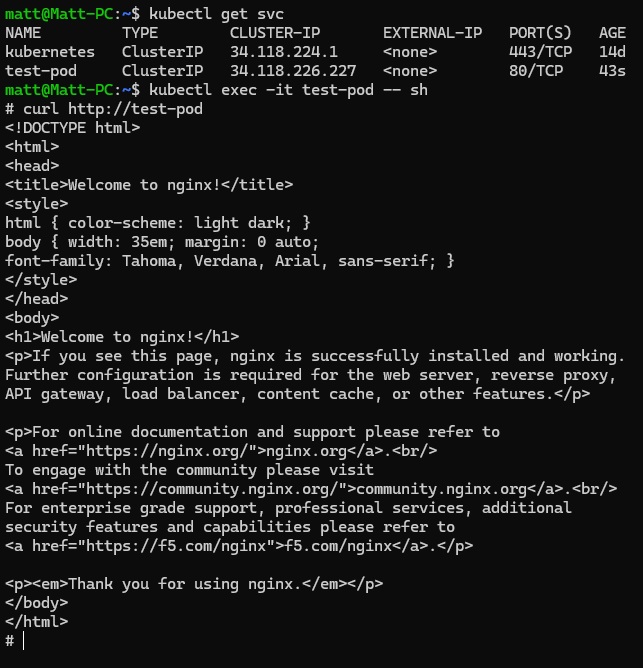
kubectl expose pod test-pod --port=80The easiest way to create a service is using the above imperative command, which defaults to type ClusterIP. This creates a ClusterIP service and a corresponding DNS entry, allowing other pods to access the application using the service name rather than the pod's IP address. However this service is only available inside the cluster itself! How do we access an application from outside the cluster? The answer is the NodePort service, which will allow access to the cluster on a port in the range 30000-32767.
NodePort
First let's clean up and remove the ClusterIP service.
kubectl delete svc test-podNow to create a NodePort service, we must specify that as the type like so, we can also give a unique name to the service:
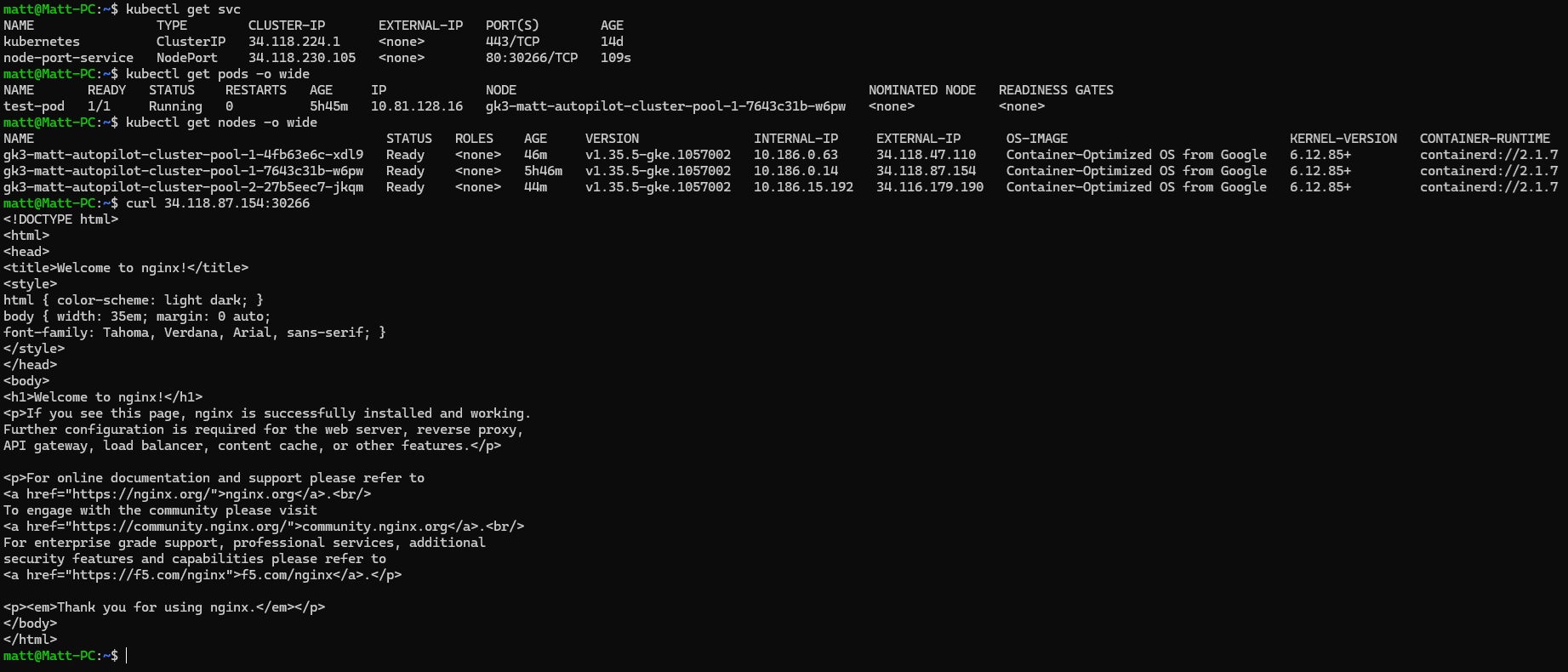
kubectl expose pod test-pod --name=node-port-service --type=NodePort --port=80If your worker nodes have external IP addresses, the application can then be reached via node-ip:node-port.
LoadBalancer
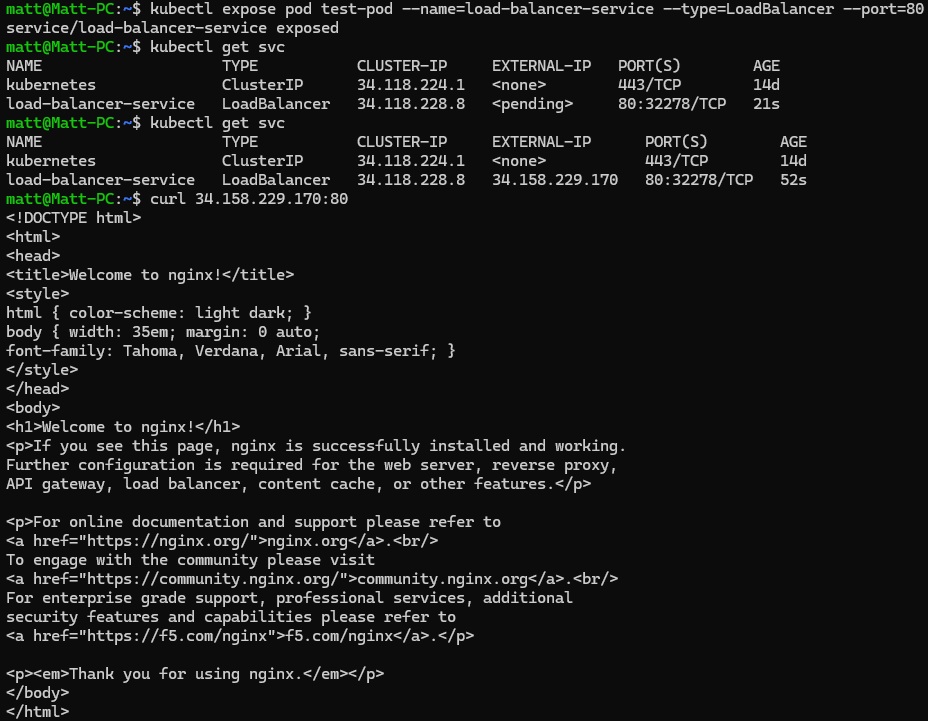
While a NodePort exposes an application on every node, cloud providers can provision an external load balancer that forwards traffic to those nodes automatically. Simply specify type LoadBalancer on GKE to create one.
kubectl expose pod test-pod --name=load-balancer-service --type=LoadBalancer --port=80Once it has been provisioned, we can see the service now has an external IP, we can simply hit this directly to access the cluster!
While a LoadBalancer service is useful for exposing a single application, creating one for every application quickly becomes expensive and difficult to manage. In the next post, we'll look at Kubernetes Ingress, which allows multiple services to share a single external load balancer and route traffic based on hostnames or URL paths.